
Read the three Flow stages
Flow separates three questions: when to open a position, how to manage its risk and what to review before testing. Start with the entry, move to protections and then inspect the complete strategy.
Each extra condition should have an identifiable purpose. If you cannot explain what it allows or excludes, keep it as a research hypothesis instead of immediately adding it to the baseline.
Choose a first condition
Open the condition picker. Start with an objective, such as following a trend or detecting a reversal, or browse the available conditions. Find the behaviour you want to measure and read the card description.
- Choose a condition that answers your question.
- Configure the offered values and units.
- Check the buy or sell direction.
- Review the description of the configured condition.
- Add another condition only when its role is clear.
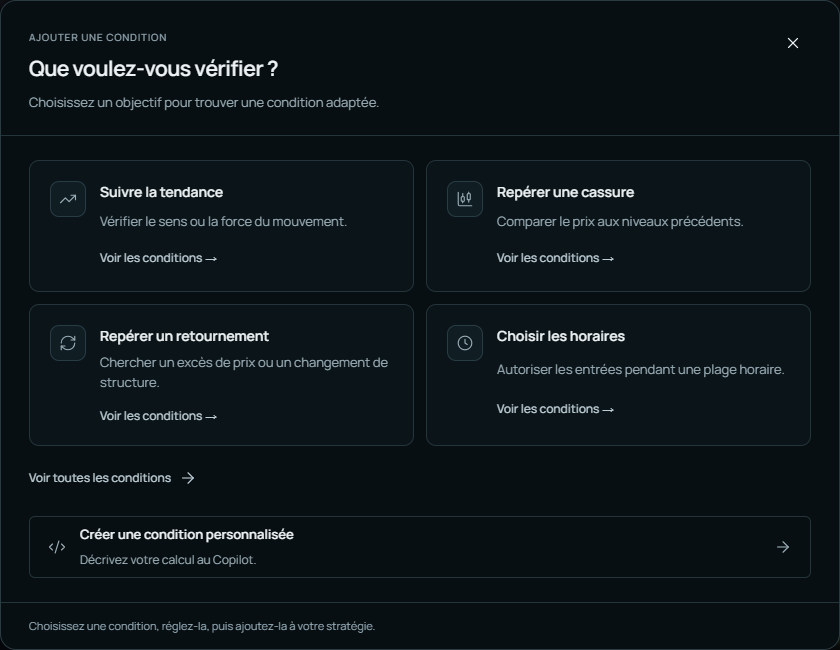
A name alone does not describe a condition completely. Check the period, threshold, comparison direction and confirmation rule.
Combine rules clearly
Conditions joined by AND need to be compatible within the situation studied. An alternative entry is another possible path, distinct from an extra filter on the same path. Review how the groups appear in the strategy summary.
Buy hypothesis to formalise:
1. Context: price is above a reference moving average.
2. Signal: price returns above a faster moving average.
3. Filter: entry occurs inside the selected session.
Still to define: periods, confirmation time and exit.
This is an illustrative hypothesis. Check that a combination does not require two opposing states of the same measure at the same time.
Configure and save protections
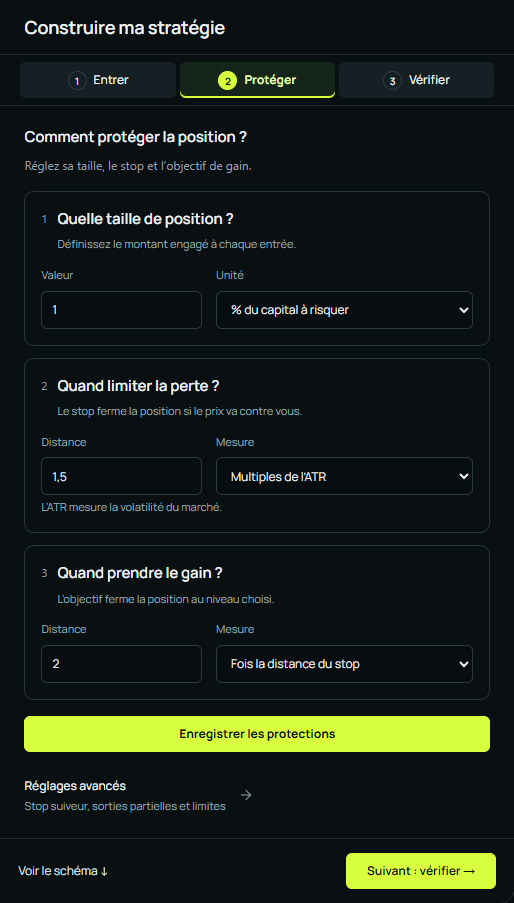
The protection stage groups size, stop and target. Review every unit: a percentage of capital at risk is different from fixed volume; pips are different from a multiple of volatility.
Describe a condition outside the catalogue
Use the description area to explain what the condition should check. Identify the necessary series, when information becomes available and an example of the expected result. An indicator colour or subjective judgement is usually insufficient.
I need a condition comparing the close with the average of the last
10 completed closes. Define the information used and the adjustable values.
Give one example where the condition is true and one where it is false.
Explain limitations before proposing the block.
Review before testing
Check the symbol, horizon, possible entries, exits and protections. Review settings requested through Copilot in the interface as well as in the reply.
After changing a strategy, an old report remains a historical reference. Run a new test and identify the version before comparing. Continue with Risk settings and Choose data.